The Modal component has many applications. Often it is used as a “window” in which you can perform additional actions, which results can be viewed on the screen. Modal can be used e.g. as a login window, information window or window with options to choose from.
Therefore, we will create two types of this component: Simple modal i modal picker.
Simple modal
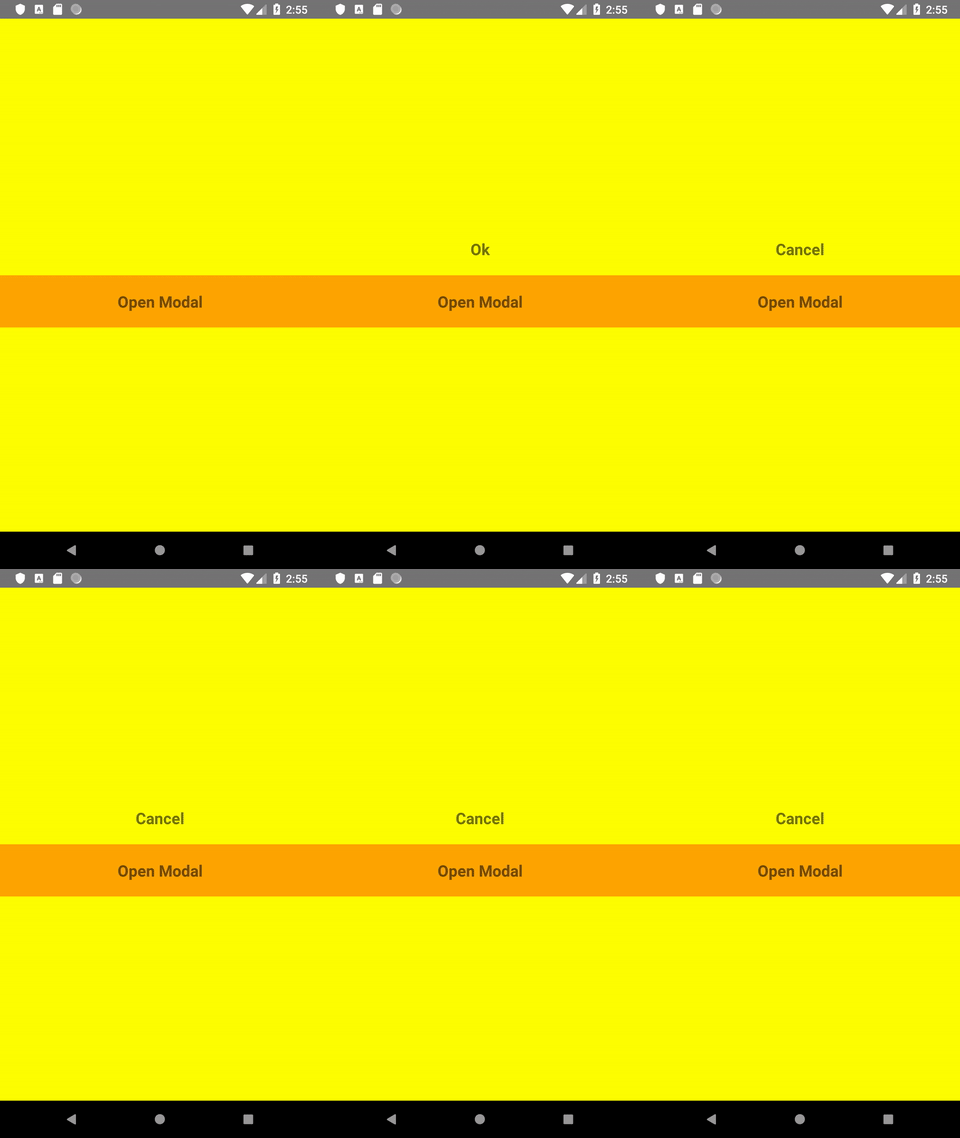
Lets suppose we want user to confirm or reject his choice. We can offer him two options to choose from: Cancel and Ok. Modal will look like this:
We’ll start creating our simple modal by two files: Modal.js and SimpleModal.js. In the Modal.js component state, we specify whether the modal should be visible or not. We will also save the user selection there:
We will also create a button (using TouchableHighlight), after clicking which the modal will be visible. We will also create the modal itself, which will be transparent. We will import Modal content from SimpleModal.js
The code for the Modal component is still missing. We want its width matiching the width of the screen but at the same time has margins on the sides. Thats why, we add an event listener to the component Dimensions. We also want to offer two choices: approve and reject our suggestion. We create two buttons – Cancel and Ok. We pass the selection to the state of the parent component (see: how to transfer data from a child component to a parent component) so that it can be displayed on the screen. At the same time, making any choice, we close the modal.
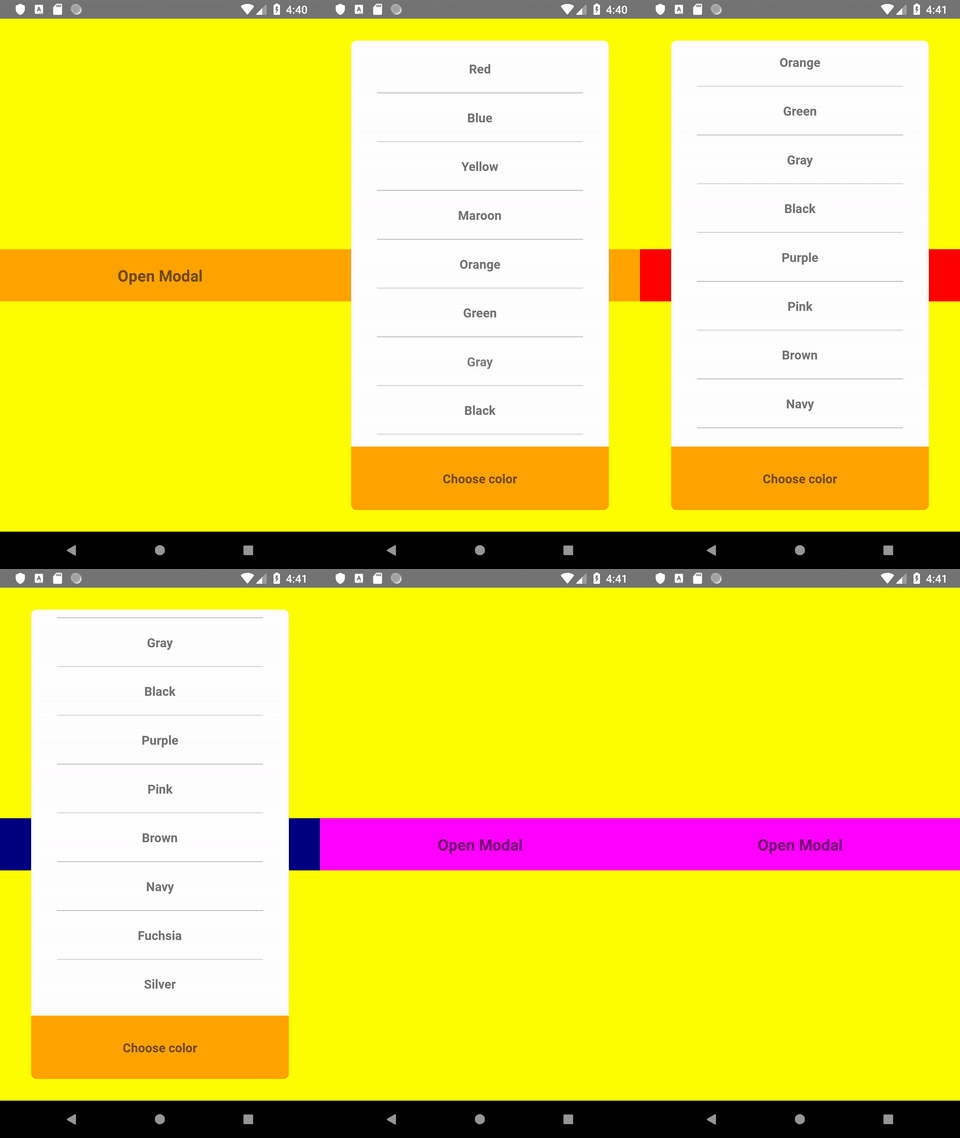
We create a new component called ModalPicker.js and, as before, we adjust its dimensions to the dimensions of the screen, this time both width and height. We create an array with data – in our case these are colors, and using the map () method we return the view with the name of the color for each element in the array. After making any selection, the font color of the selected option changes according to its name. Confirming the selection with the Choose color button, we send information about the selected color to the parent component and close the modal. Now the parent can display the button in the color of our choice.
I write code that (usually) works. I tame WordPress, learn React, explore the world of DevOps, and click around in the Linux console. I optimize code as a hobby, because laziness is the purest form of productivity. I do my best not to lose my mind somewhere between a bug and a deadline.